一份跨会话的待办清单:一个属于你的文件,你和 Agent 读写同一份。待办可以带步骤,交出去时按编号一起交;Agent 说的「做完了」要你点头才算数。A cross-session todo list for DeepSeek Harness: one file you own, written by you and your agent. Items carry steps that ship as a numbered plan when you hand them over — and the agent’s “done” only counts once you confirm it.
shell · npm点一下选中整条click to select the line
dsh plugin add dsh-global-todo
装完要重启宿主(dsh web)再刷新页面。面板只在 Web 客户端;headless、ACP、SDK 拿到的是工具,没有面板。需要 DSH 0.2.x 与 Node ≥ 22.19。Restart the host (dsh web) and reload the page. The panel exists only in the Web client; headless, ACP and SDK get the tools without it. Requires DSH 0.2.x and Node ≥ 22.19.
面板实况。录屏由 npm run tour 生成,不是手绘示意图。The panel in use. Recorded by npm run tour, not a mockup.
22 秒,无旁白:画面里的界面是真实面板的截图(暗色主题、2× 渲染),句子由排版承担,音乐与点击声只标事件。播放不了视频的地方,页面顶部的 GIF 是同一段导览。22 seconds, no voiceover: the screens are real panel renders in dark mode at 2×; the type carries the argument, and sound only marks events. Where video cannot play, the GIF above is the same tour.
三件事Three claims
会话级计划做不到的三件事Three things a session-local plan cannot do
DSH 自带的 todo_write 属于某一个 agent 会话:整表替换、三个状态、会话一关计划就翻篇。这份清单补的不是功能数量,是归属。The built-in todo_write belongs to one agent session: whole-list replacement, three states, and a plan that ends when the session does. This list is about ownership, not feature count.
01
一个 JSON 文件就是全部One JSON file is the whole list
清单在 $DSH_HOME/global-todo/todos.json:没有数据库,没有服务端。能 cat、能 diff、能提交进仓库、能丢进同步盘,拷到另一台机器就接着用。The list lives at $DSH_HOME/global-todo/todos.json: no database, no server. cat it, diff it, commit it, drop it in a sync folder, copy it to another machine.
写入走「临时文件 + rename」,人和 Agent 的改动串在同一把写锁后面;文件坏了报 store-corrupt,不会静默清空。Writes go to a temp file and are renamed into place, behind one lock shared by panel and tools. A corrupt file raises store-corrupt instead of being silently emptied.
02
交接是一个按钮Hand-off is a button
四种模式:current 当前对话、auto 先复用已绑定的会话、new 总是新开、bound 只发已绑定的那个。新会话要工作目录,所以派发前会检查;三者都定位不到就明确拒绝并说明原因。Four modes: current, auto (reuse the bound conversation first), new, and bound. A new session needs a working directory, so the hand-off checks it and refuses with a reason when none can be found.
1. [已完成] 对齐版本号
2. 跑 npm run verify
3. 打 tag 并推送
4. 补 docs/screenshots
待办自己的 steps[] 原样变成派发提示词里的编号计划;成功和失败都记在记录上。The todo's own steps[] arrive as the agent's numbered plan. Success and failure are both recorded on the record.
03
Agent 说「做完了」是声明,不是事实An agent's “done” is a claim until a person confirms
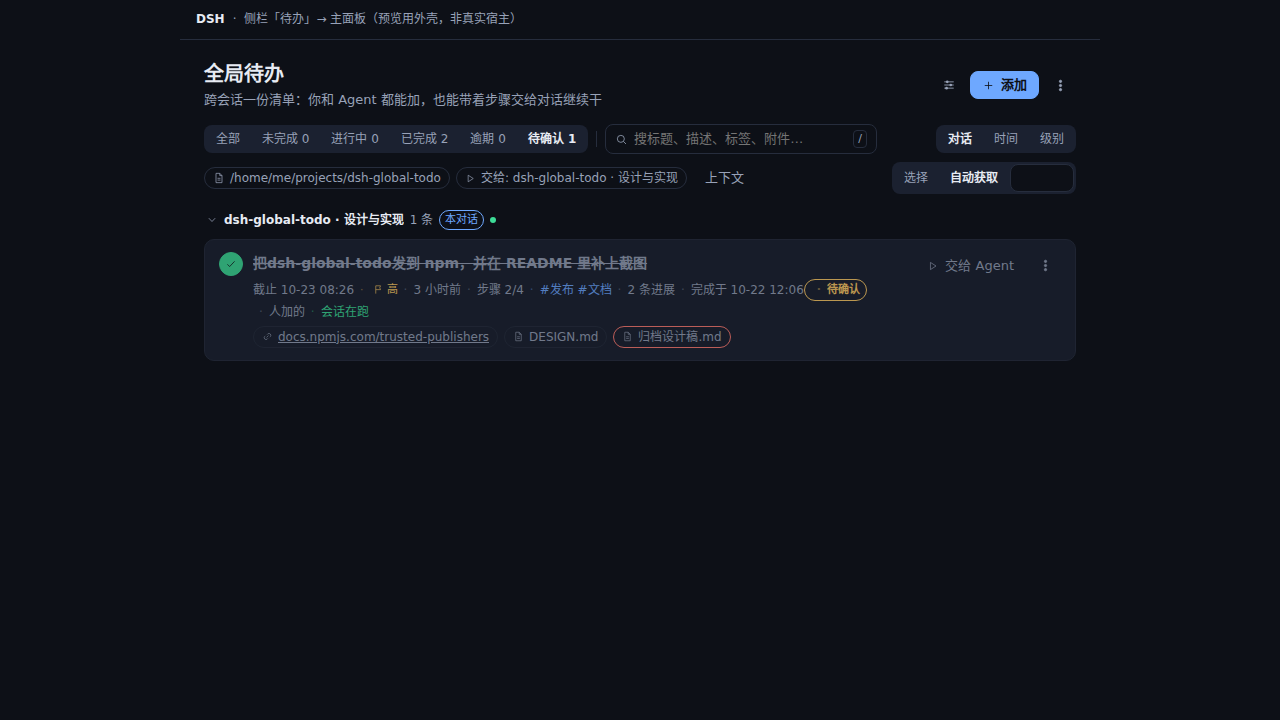
以 agent 身份完成会落到 review = pending,行上显示「待确认」。人点确认,它才算完成;人点退回,它回到清单,那条完成记录一并清掉。Finishing as an agent sets review = pending and the row shows 待确认. Confirm it and it stays finished; send it back and it returns to the list with its completion record cleared.
待确认Needs review确认完成Confirm退回清单Send back
只有干净收尾的回合才自动完成:error、aborted、interrupted、max-tokens 一律留着未完成——标错一次,整份清单就不值得信了。Only clean turns auto-complete: error, aborted, interrupted and max-tokens leave the todo open. One wrong “done” would make the whole list untrustworthy.
一条待办的路径The path of one todo
从一句话,到一个被确认的结果From one sentence to a confirmed result
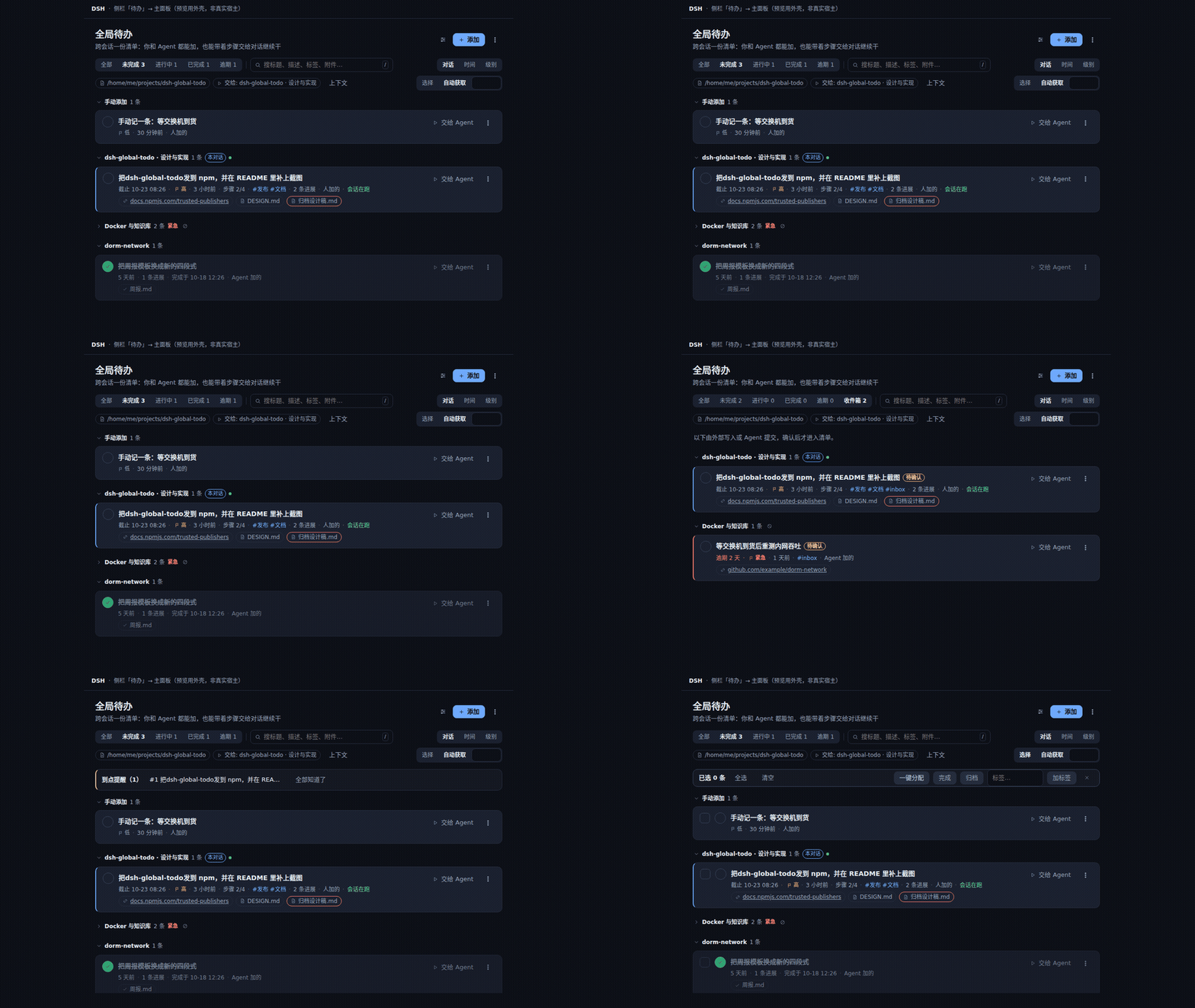
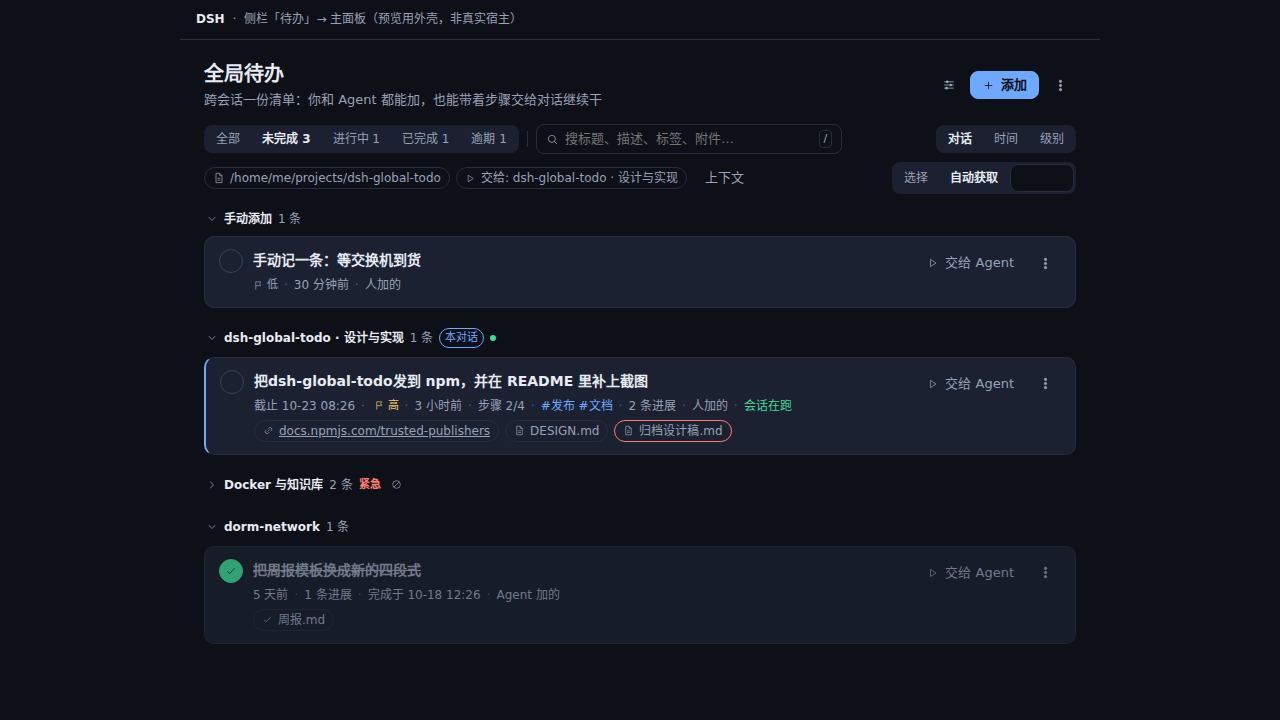
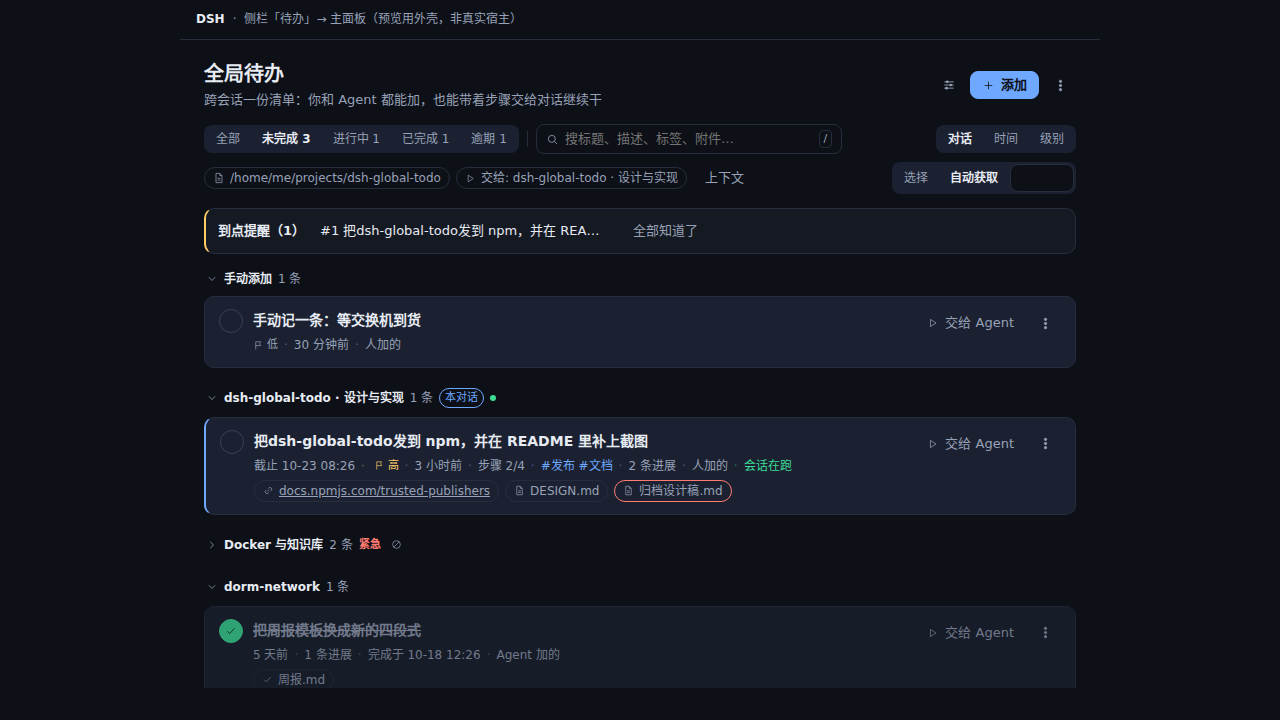
五步。每一步下面都是面板真实渲染出来的截图,由 npm run screenshots 生成;点开看原尺寸。Five steps. Every image below is a real panel state rendered by npm run screenshots; click one for full size.
01
抓取Capture
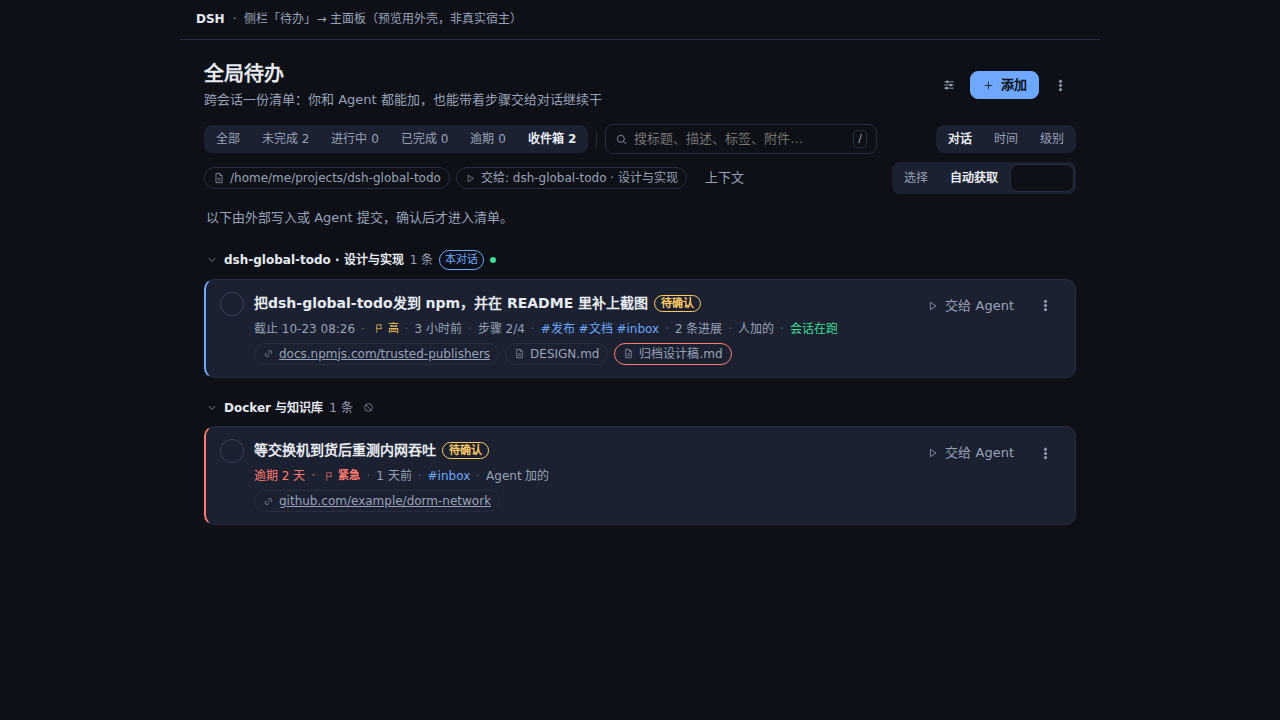
你在对话里说一句「记一下:等交换机到货后重测内网吞吐」,或让 Agent 用 global_todo_capture 一次抓几条。原话作为 evidence 逐字保留,不转述;外部写入的先停收件箱。Say it once, or let the agent record it with global_todo_capture. The sentence it came from is kept verbatim as evidence; externally written items wait in the inbox.
02
拆成步骤Break into steps
一条待办可以带 steps[]:行上显示「步骤 2/4」,派发时按顺序编号。五步的活不需要第二个对象。A todo can carry steps[]: the row shows 步骤 2/4, and the hand-off prompt numbers them. Five-step work does not need a second object.
03
交接Hand off
选 交给:[对话名],或多选后按「一键分配」。能复用已绑定的会话就复用;配不上的报回来并给选择器,不擅自送到别处。Pick 交给:[conversation], or select rows and use 一键分配. A bound conversation is reused when possible; anything unmatched comes back with a picker instead of being sent somewhere else.
04
读回那个对话Read it back
面板显示它「在跑」还是「已休眠」、最后说的几句(缓存 400 字),旁边有按钮跳过去。交接不再发出去就没下文。The panel says whether it is running or dormant, shows its last words (400 cached characters), and links to it. No more fire-and-forget.
05
确认Confirm
Agent 的完成先进「待确认」:人点「确认完成」,或「退回清单」。同一行还能看到完成说明和这轮改过的文件。An agent completion waits in 待确认. Confirm it, or send it back; the row carries the closing summary and the files that turn changed.
图里是同一份清单的连续状态。截图不写进设计稿,而是每次从真实客户端渲染出来,所以样式一改、图就跟着变。The images are consecutive states of one real list, re-rendered from the real client on every change rather than hand-edited.
收录情况Where it is listed
六个目录已上线,五个在审Six live listings, five in review
商店只决定「找不找得到」,装到的东西永远来自 npm:dsh plugin add dsh-global-todo。显示旧版本是正常的 —— 各家的爬虫有自己的节奏。这张表最后一次核对是 2026-10-21,复核用 node tools/listings.mjs。A registry decides whether you find it; what you install always comes from npm: dsh plugin add dsh-global-todo. An older version on a listing is normal — every crawler runs on its own schedule. Verified 2026-10-21; re-check with node tools/listings.mjs.
已收录Live
npm
dsh-global-todo@0.11.2
唯一的安装源,其余都只是入口。The only install source; the rest are entry points.
和自带 todo_write、看板式任务板比Against built-in todo_write and a kanban board
不是「谁更好」,是三件不同的东西。这一栏只写事实:没有的,就写没有。Not “which is better” — three different things. This section states facts, and says “none” where that is the answer.
据本仓库的 README 与 docs/ROADMAP.md(2026-10)。看板一列是社区里另一类插件的典型形态,只写通性。From this repository's README and docs/ROADMAP.md (2026-10). The kanban column describes that category in general terms only.
维度Dimension
自带 todo_writeBuilt-in todo_write
本插件This plugin
看板式任务板Kanban-style board
归属Owner
一个 agent 会话One agent session
你,跨会话、跨工作区You, across sessions and workspaces
一个项目或一块板A project or a board
写入Writing
整表替换Whole-list replacement
逐字段,人和 Agent 都能写Per field, by human and agent
卡片随拖拽换列Cards move by dragging
加入时间Created time
不记录Not tracked
createdAt 写一次、不改、处处显示createdAt, written once and shown everywhere
视实现Depends on the plugin
上下文Context
标题 + 状态Title and state
描述 + 文档绝对路径 + 网址Description, document paths, URLs
通常带评论与附件Usually comments and attachments
交给 AgentHand-off
无None
一个按钮、四种模式,步骤变编号计划One button, four modes, steps become a plan
常见绑定会话、自动续跑Often bound sessions, auto-resume
视图Views
单表One table
一份清单,按对话 / 时间 / 级别分组;没有看板One list grouped by conversation, time or level; no board
看板列 + 拖拽Columns and drag
存储Storage
会话事件日志Session event log
一个 JSON 文件,能 cat、能手改、能备份One JSON file you can cat, edit and back up
视实现Depends on the plugin
适合Fits
一次任务里的计划A plan inside one task
跨会话「回头要办的事」Things to come back to across sessions
多张卡片并行的项目A project with many cards in flight
没有看板视图。清单是列表加分组的,没有列、没有拖拽、没有泳道。No kanban view. The list is a list with groups: no columns, no drag, no swimlanes.
没有日历。只有到期时间和到点提醒,没有月视图、周视图。No calendar. Due times and due reminders, no month or week view.
没有子任务工单。steps[] 是待办内部的勾选项,不能单独派发,也不能各自挂附件。No sub-task tickets.steps[] are ticks inside one todo; they cannot be dispatched on their own or carry their own attachments.
不会定时开工。ROADMAP 把「自动跑待办」写进「不计划」:那需要一个任务队列,而这是一份个人清单。No scheduled execution. ROADMAP lists “auto-running todos” under not planned: that is a job queue, and this is a personal list.
另外两条刻意的取舍:附件是引用不是上传(不复制字节,带用户名密码的网址一律拒绝);可选服务缺失就降级——没有 agents 时按钮报 agents-unavailable,面板其余部分照常工作。Two deliberate trade-offs behind this: attachments are references, not uploads (no bytes copied, and URLs with a user and password are refused), and a missing optional service degrades instead of breaking — without agents the button reports agents-unavailable while the rest of the panel keeps working.
条件状态Conditional states
每一种状态都有基线图Every state has a baseline image
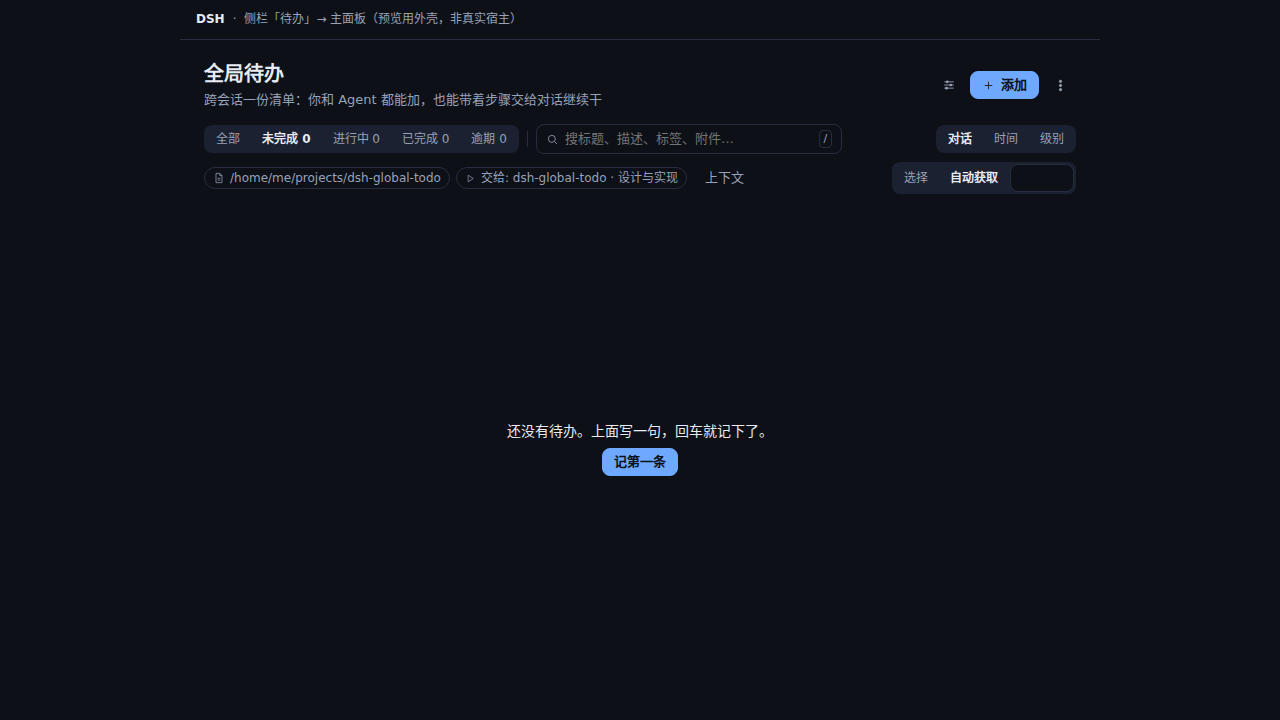
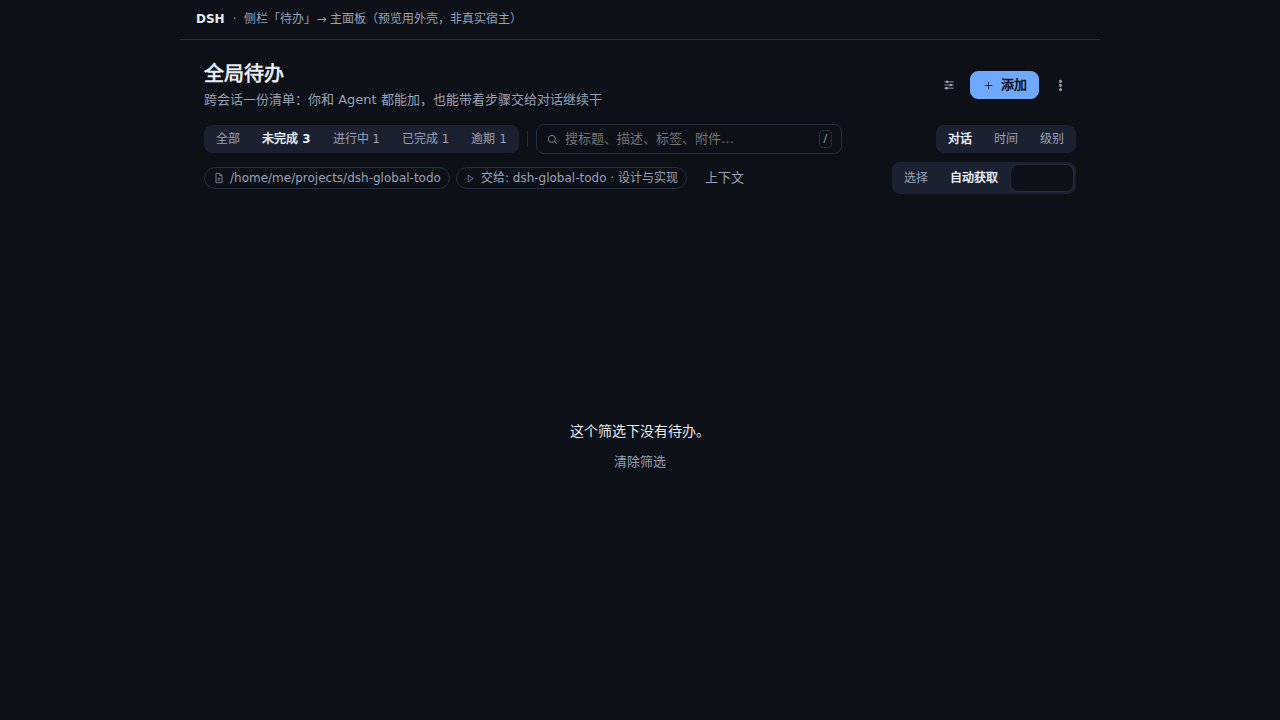
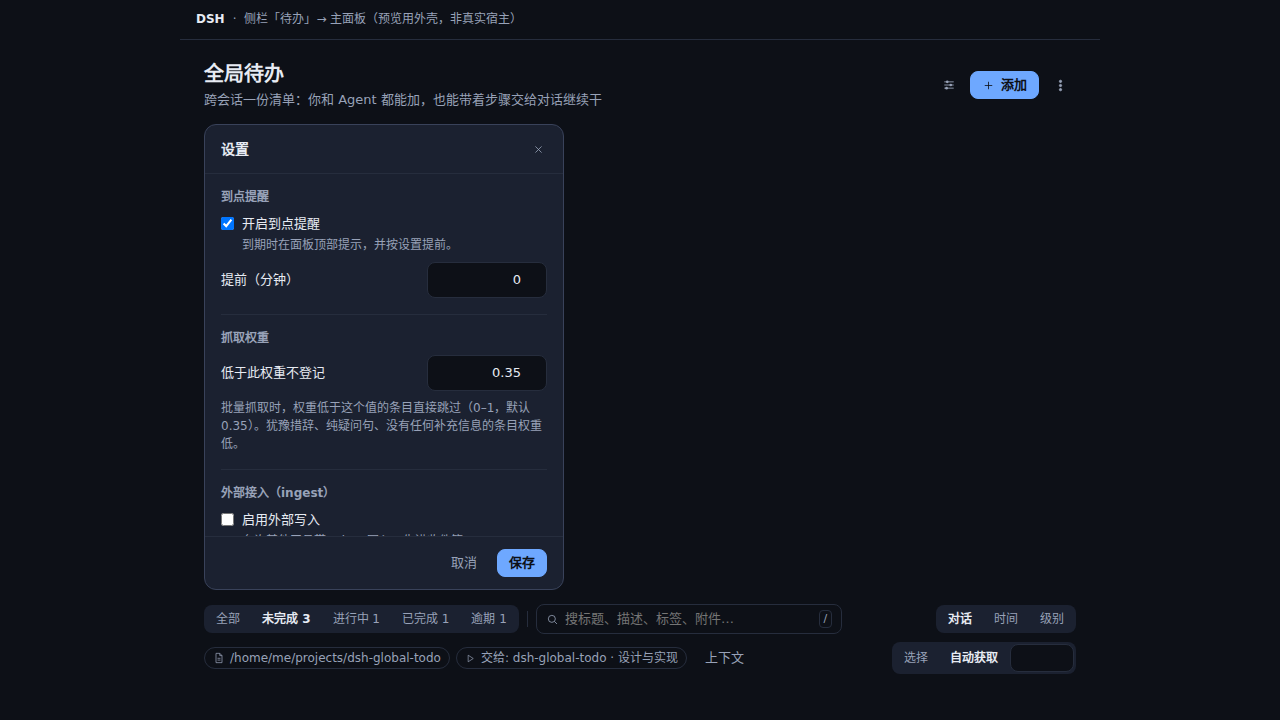
只在特定情况下出现的界面(空清单、无结果、收件箱、待确认、提醒、批量选择、设置、深色)各有一张固定基线图。改样式时直接对比,不用凭记忆。Each state that only appears under a condition — empty, no results, inbox, review, reminders, selection, settings, dark — has a fixed baseline. Compare against it instead of remembering.
清单为空Empty list一条记录都没有时的面板。The panel with no records at all.
筛选无结果No results和空清单是两种状态,提示也不同。A different state from an empty list, with its own message.
收件箱Inbox外部写入与低置信度条目,确认后才进清单。External and low-confidence items wait for confirmation.
待确认Needs reviewAgent 声明的完成,等人点头或退回。An agent's completion, waiting for a person.
到点提醒Due reminders到期条目列在顶部,确认后不再出现。Due items at the top; dismissing them removes them.
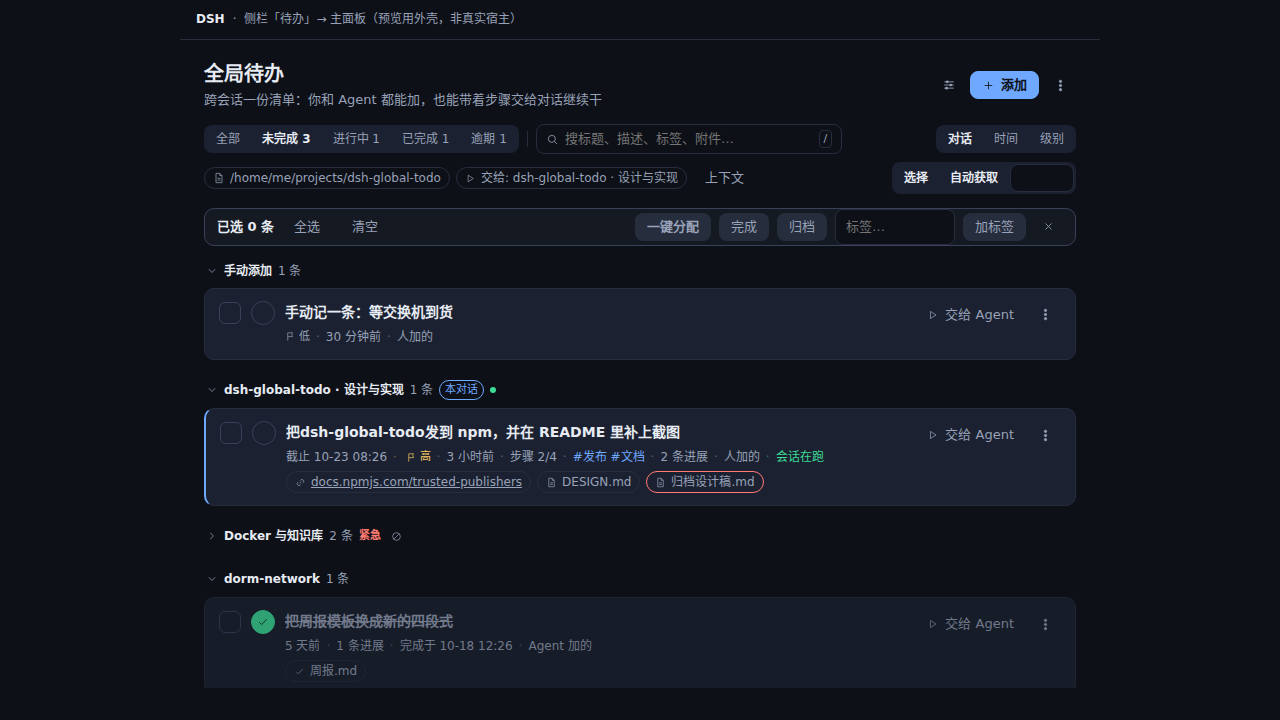
批量选择Selection多选后一键分配、完成、归档、加标签。Assign, finish, archive or tag a whole selection.
设置Settings分组字段,说明写在标签下方,底部一行保存。Grouped fields, notes under labels, one save row.
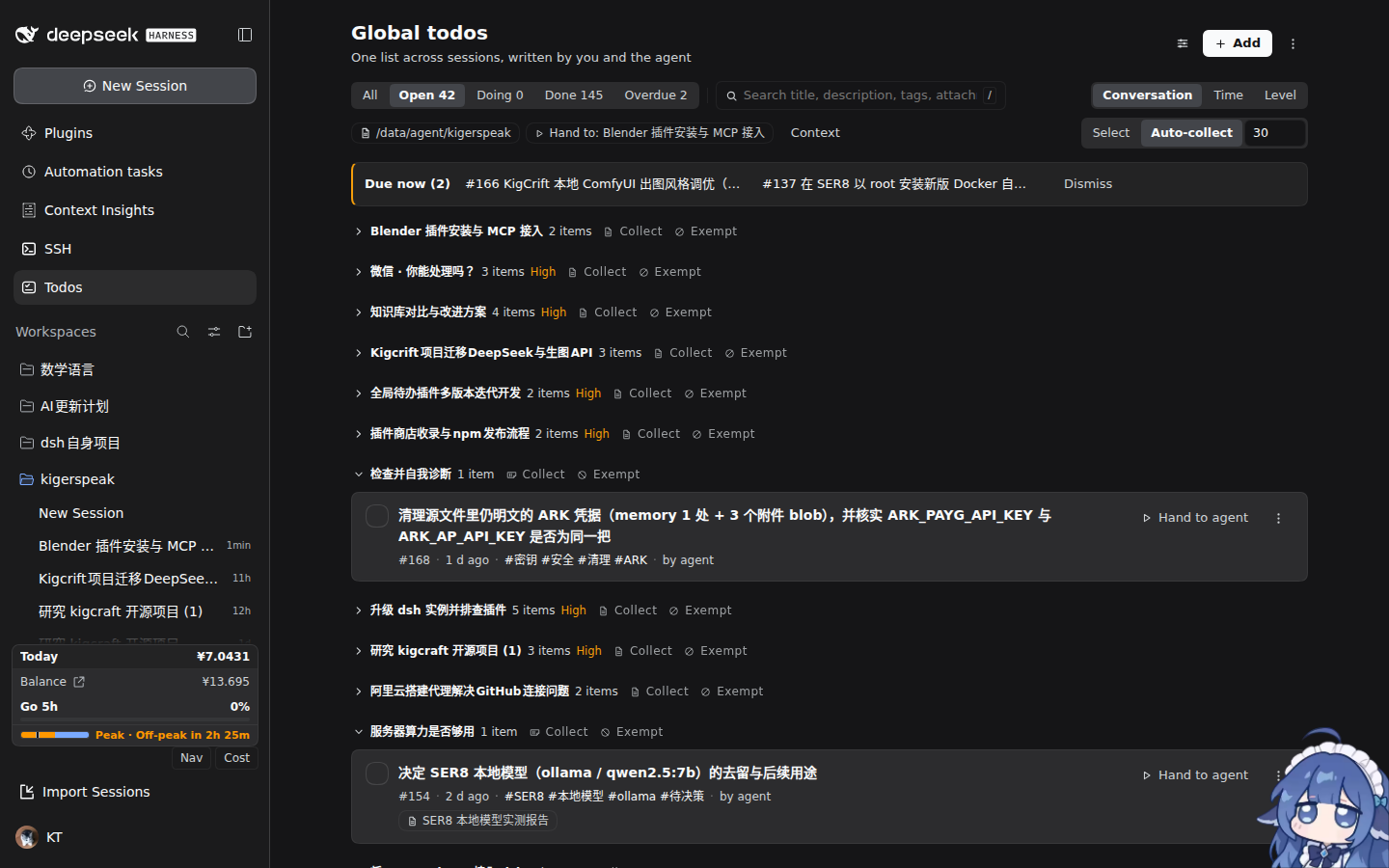
深色 · 清单Dark · list跟随宿主主题,面板不另设一套配色。Follows the host theme; no second palette.
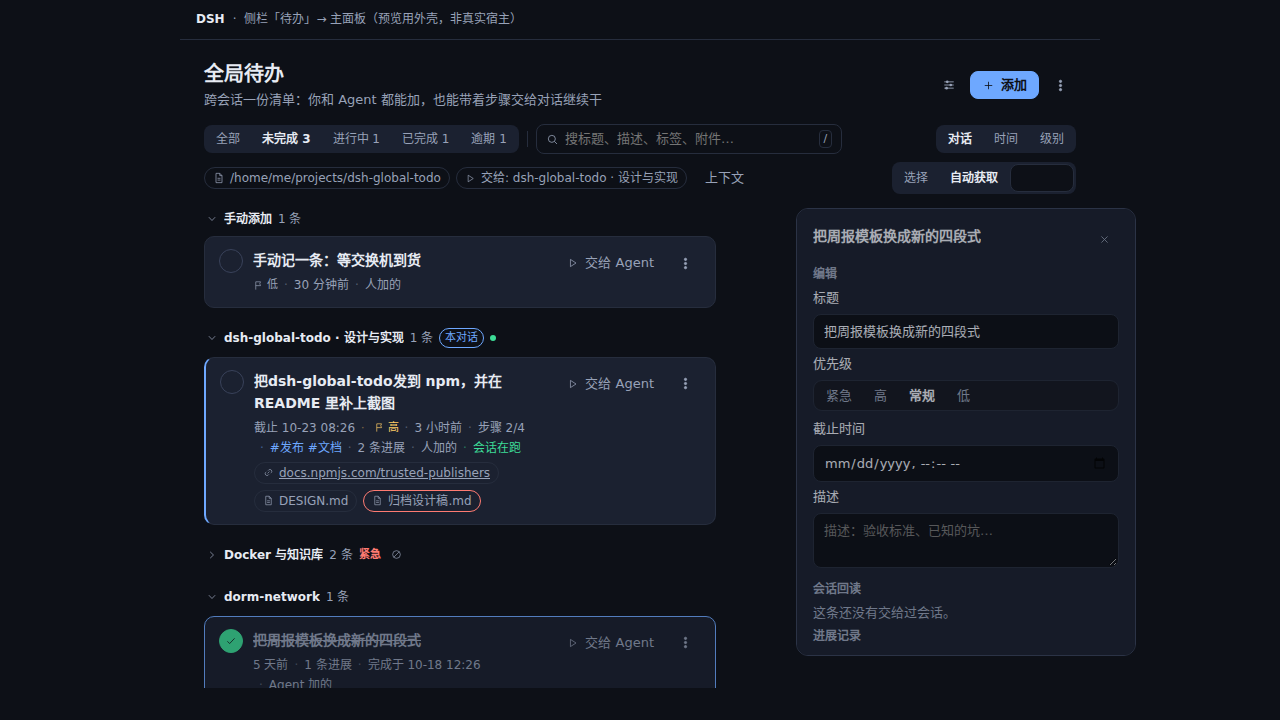
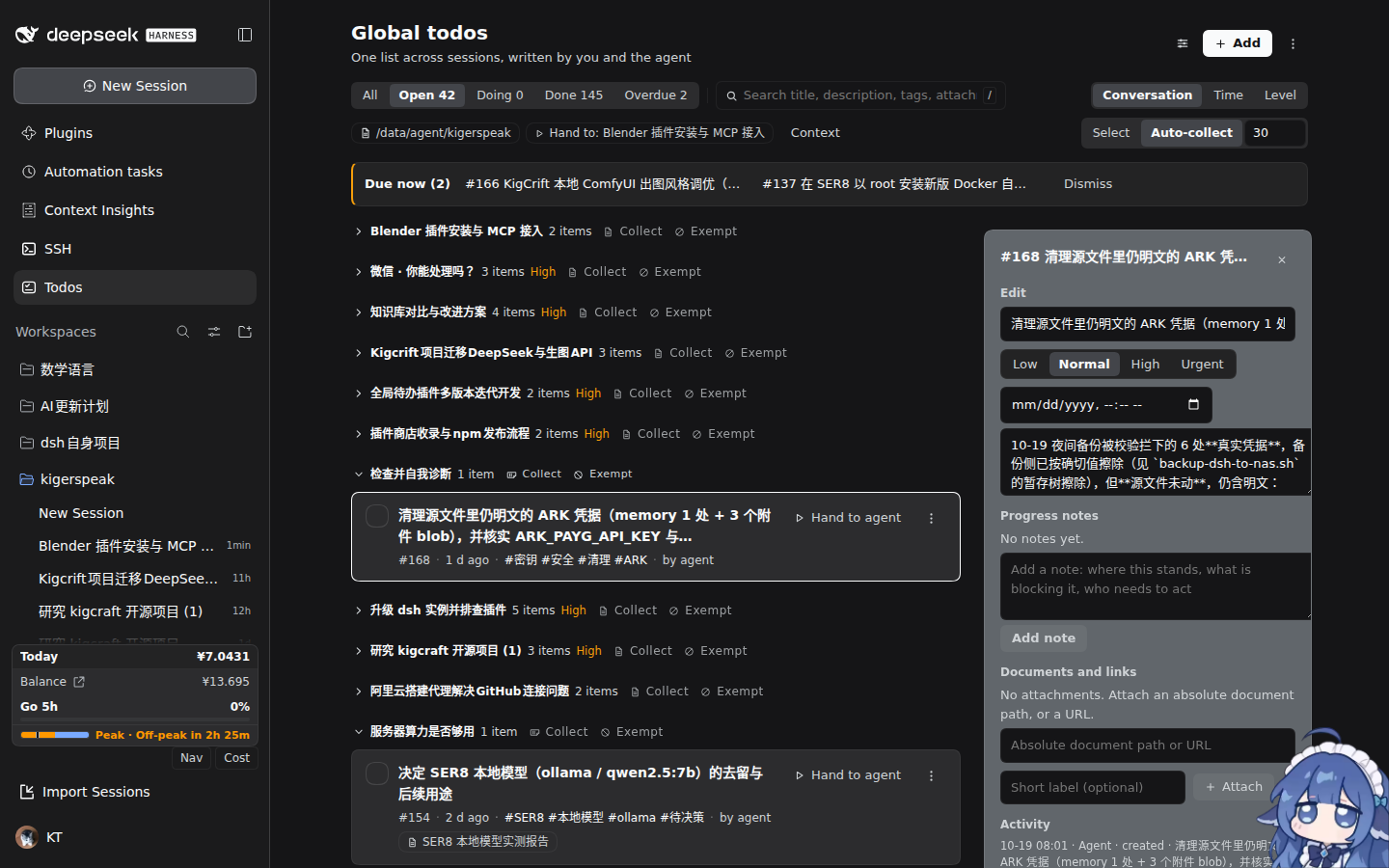
深色 · 详情Dark · detail宽窗口下详情立在右侧,窄窗口才在行内展开。On wide windows the detail stands beside the list; narrow ones expand inline.
点空白处或按 Esc 返回Click the backdrop or press Esc to dismiss